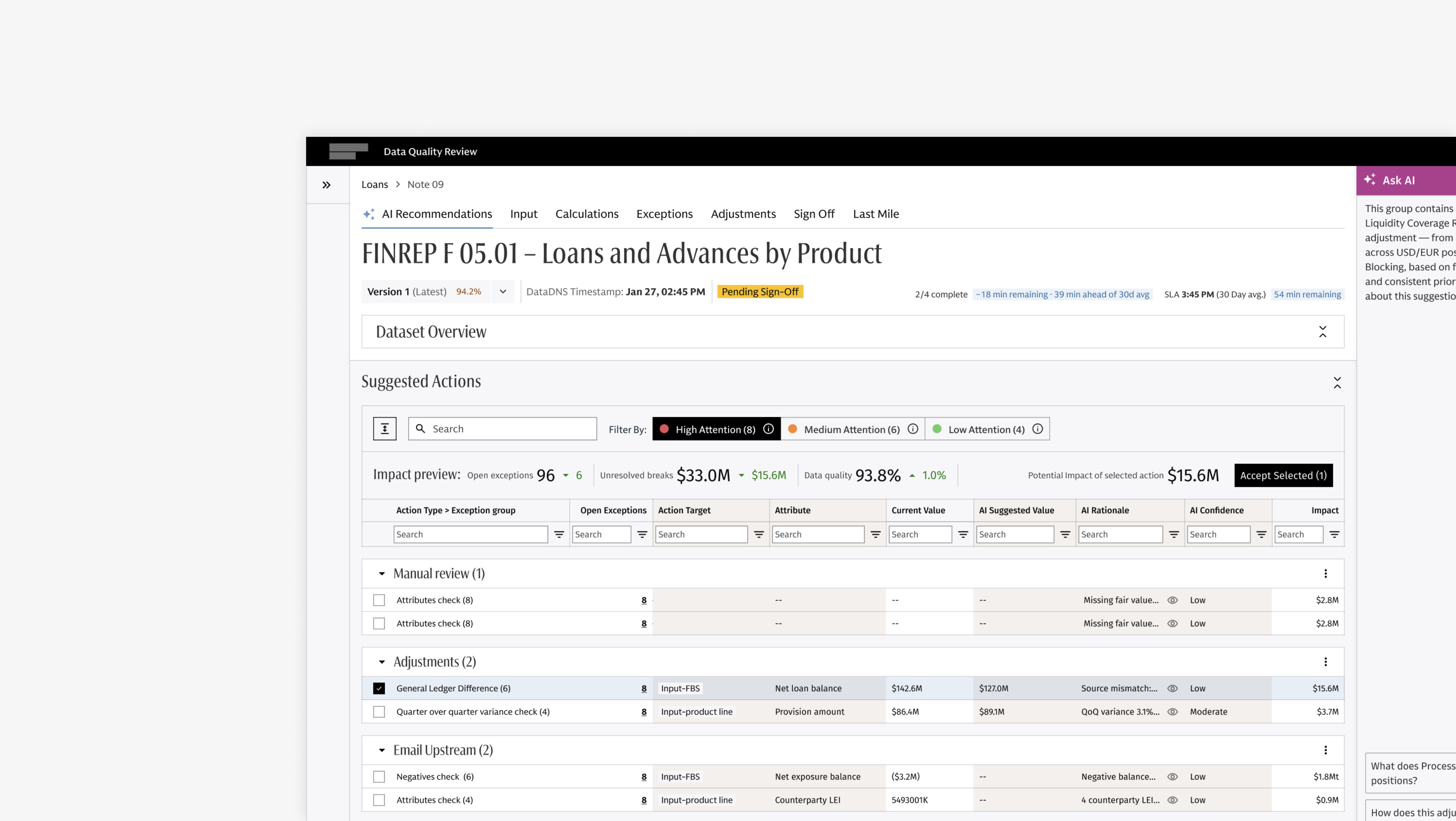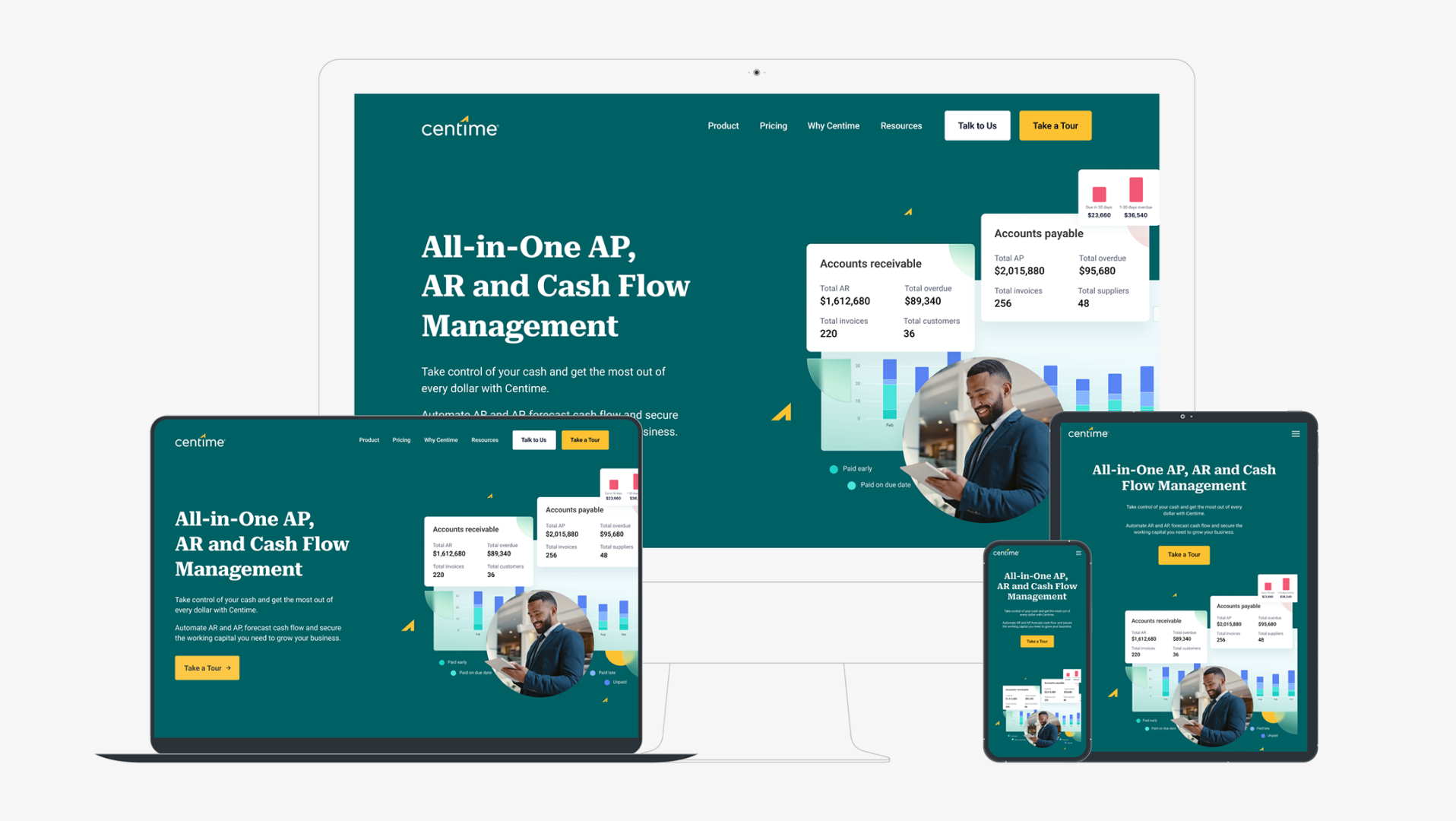
Introduction
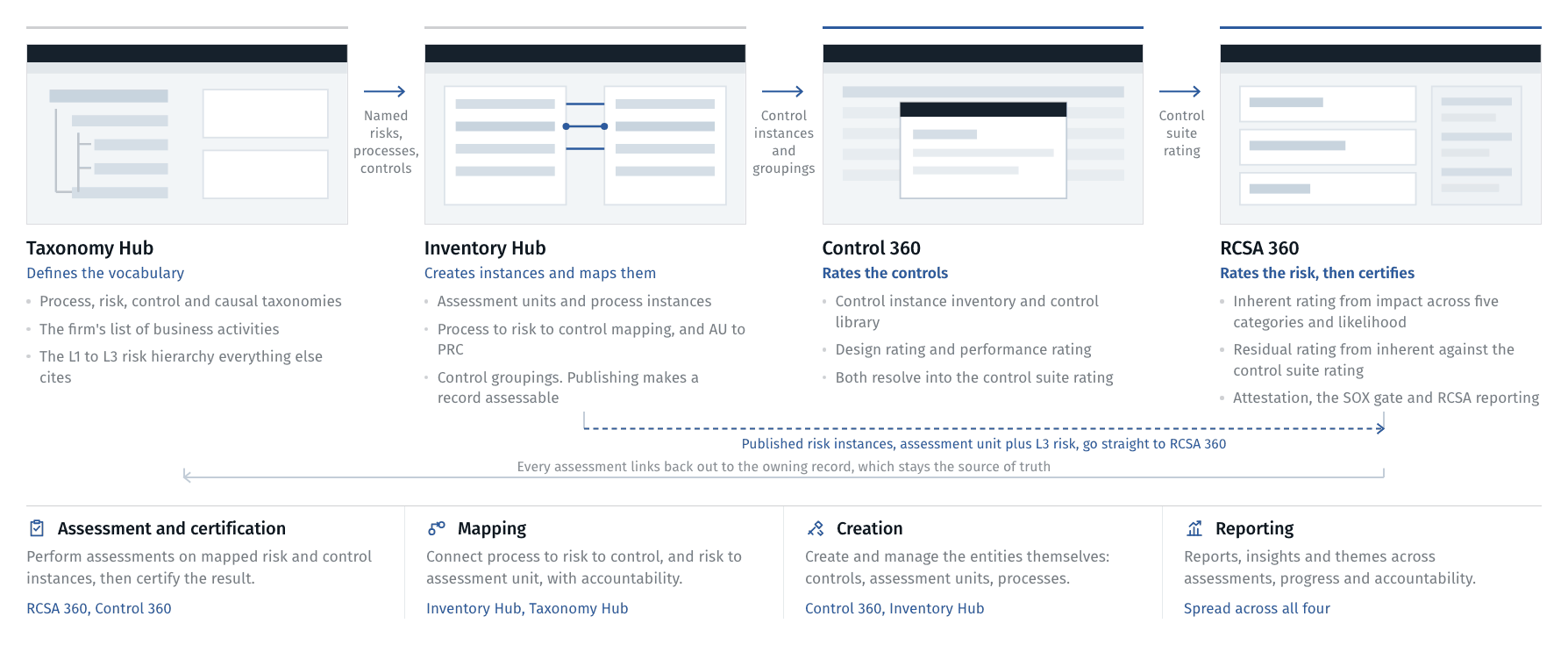
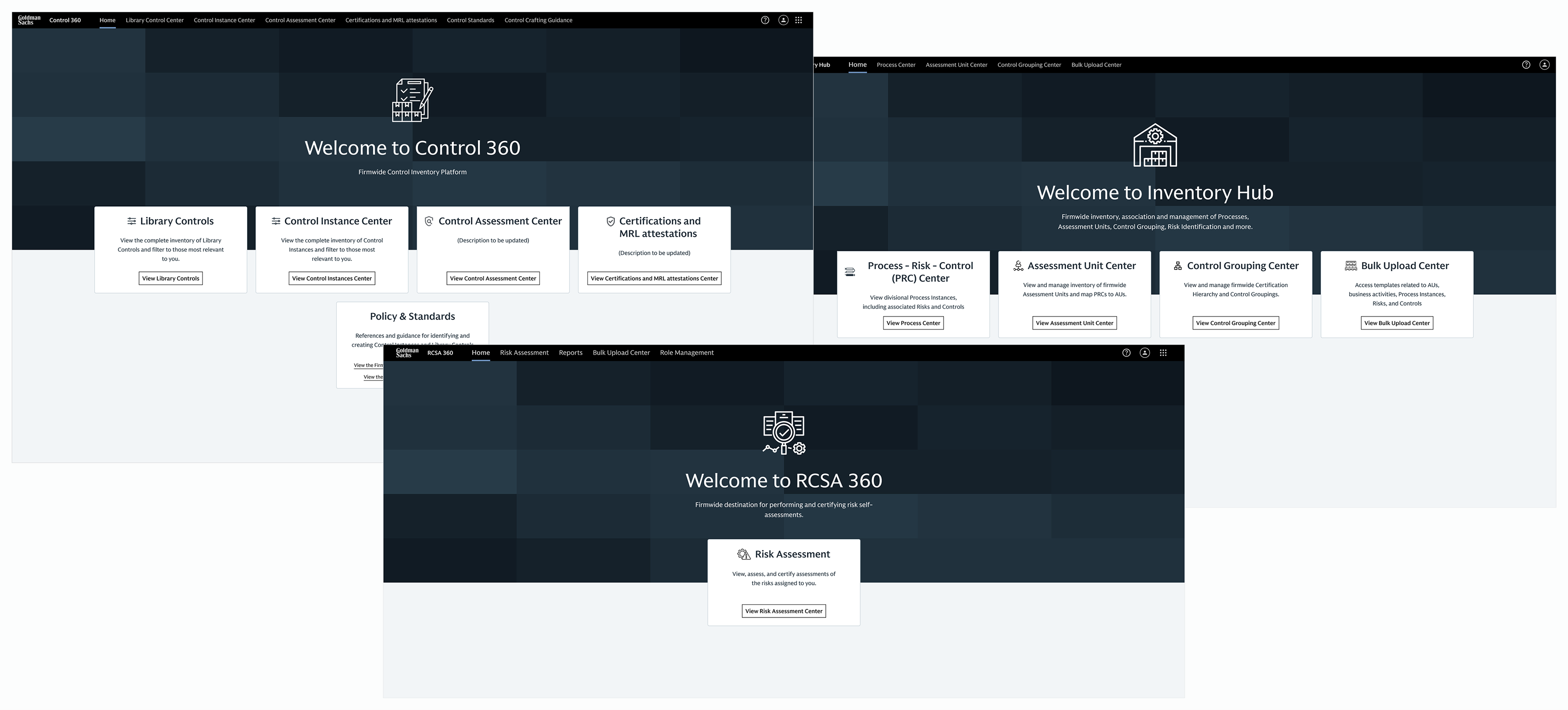
Non-Financial Risk 360 is the federated suit of inter-connected applications Goldman Sachs uses to identify risks, assess the controls that mitigate them, and certify the results. 
4 Key Applications
Taxonomy Hub holds the vocabulary used across the suit.
Inventory Hub is where processes, risks and controls are created, mapped and published.
RCSA 360 is where a risk is rated, before controls and after, and where the result is certified. Control 360 is where the controls themselves are assessed and certified.
My role: Lead UX designer on RCSA 360, Control 360 and Inventory Hub.
Team: Business, product and engineering partners across the globe; subject-matter experts from risk, controls and compliance.
What I did: Research and synthesis, business requirements, ux workshops, user reasearch, information architecture, interaction design, prototyping, design system patterns, UAT observation, user testing, design QA through release.
Scale: 18+ divisions of the firm. 600+ users. 18,500+ controls. 6,000+ risks.
Business requirements
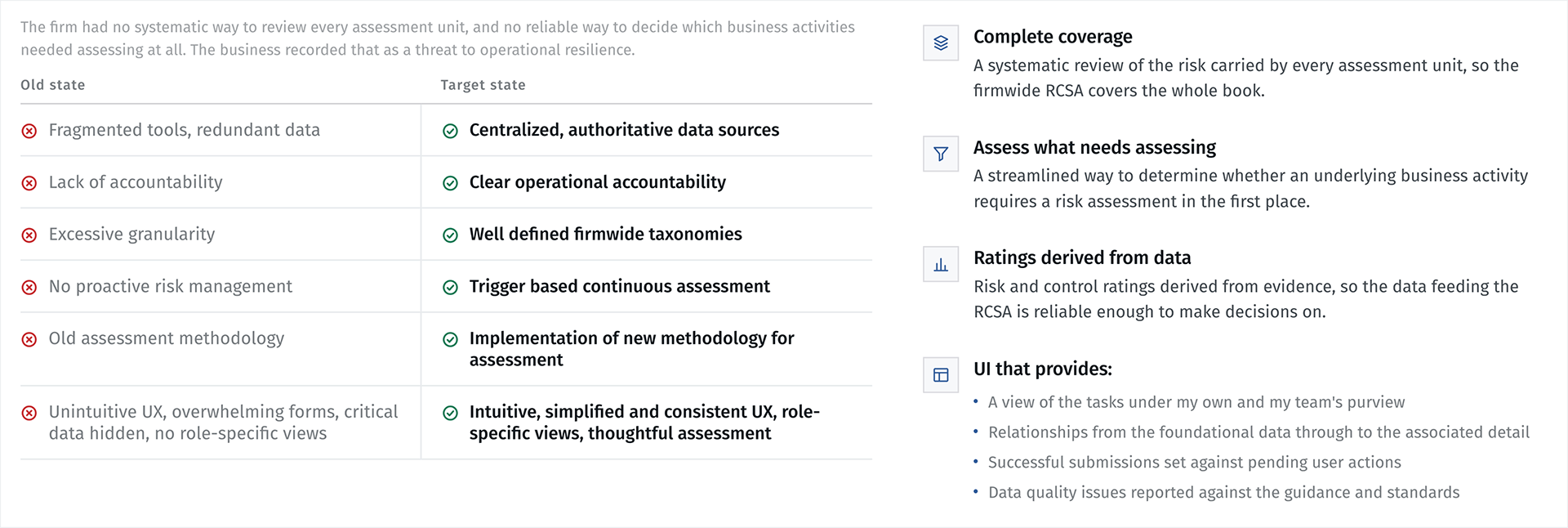
The brief. Non-financial risk does not sit on the balance sheet, but it lead to financial losses, think technology failures, regulatory breaches, reputational damage etc. Accurate risk profiling is how the firm finds its top exposures, spots control gaps and do timely escalations.
A federated suite of interconnected applications.
Each application owns one link in the chain. The output of one is the input of the next, and users need to move across different applications in the assessment process.
Approach
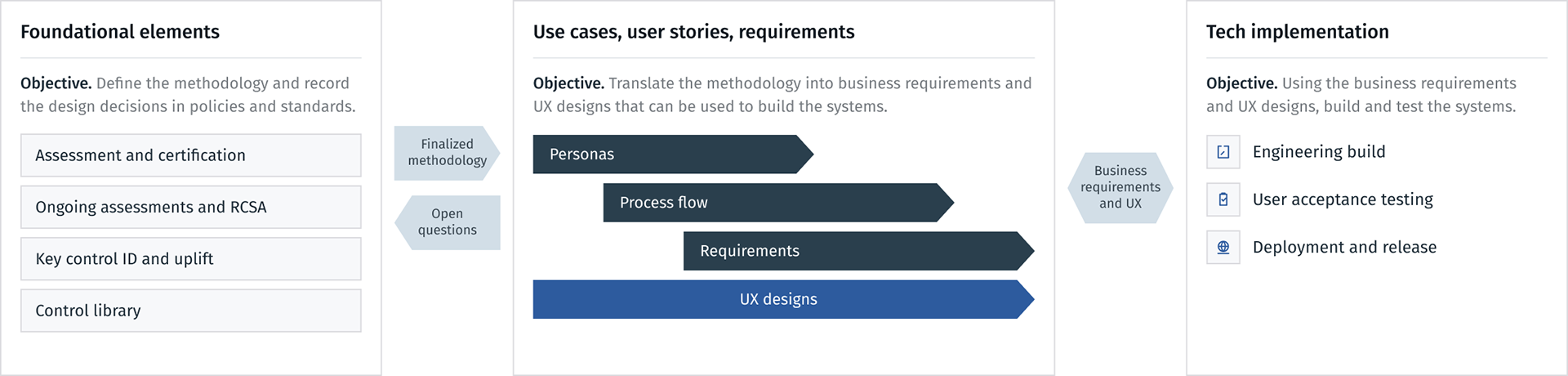
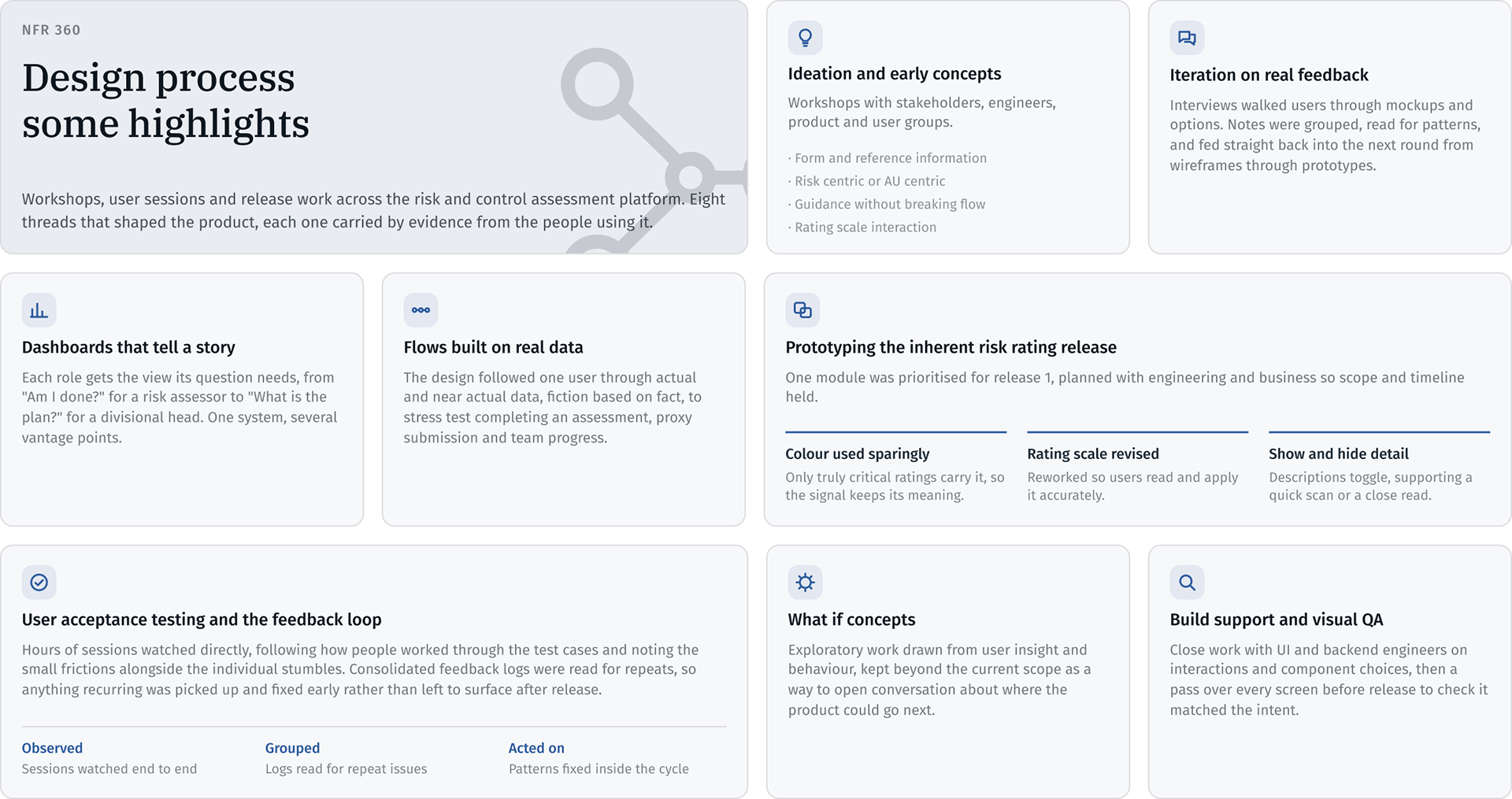
Design process
Integrated approach to roll-out the applications
Discovery Phase
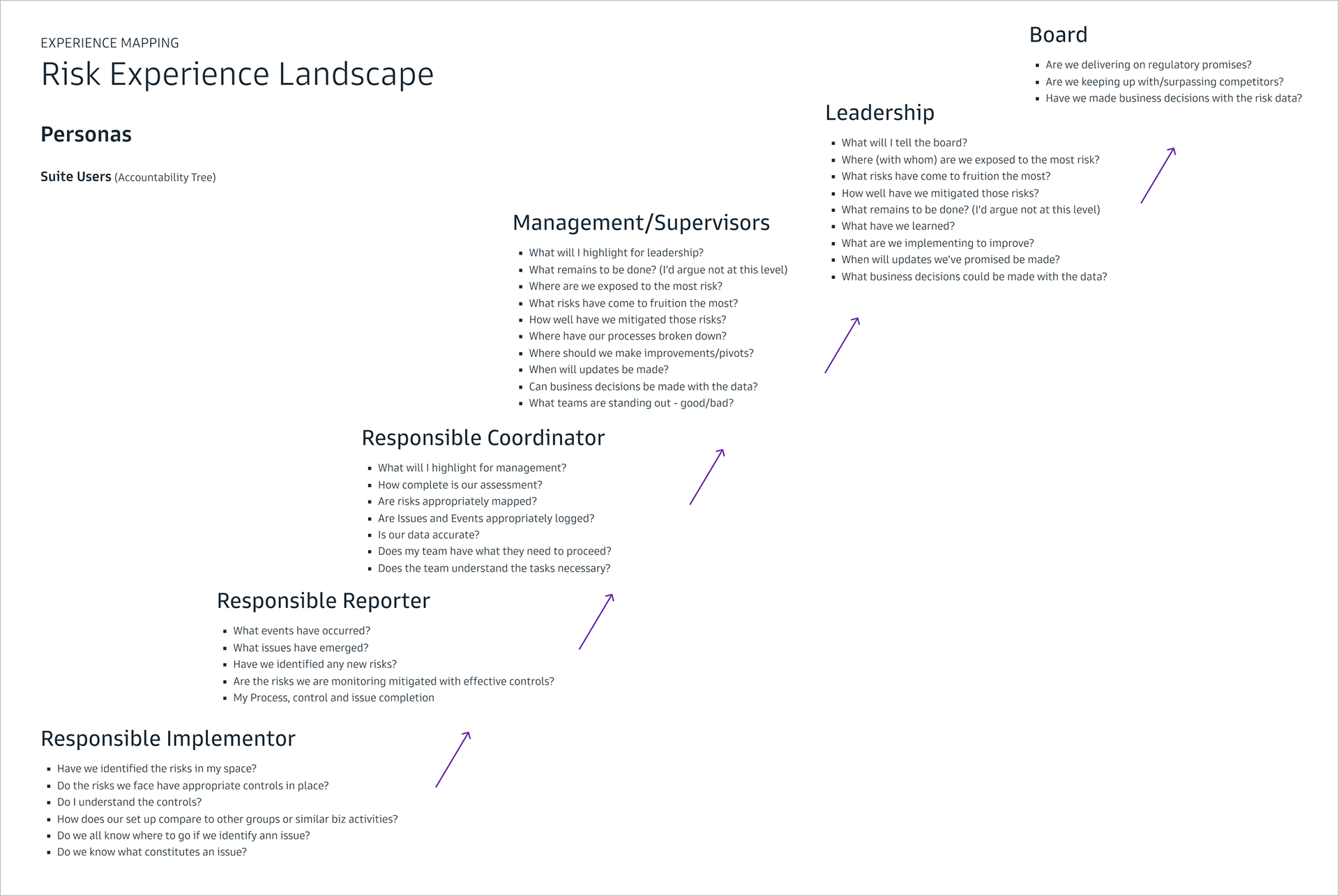
Experience Mapping: Understanding the 🗺️ Strategic Risk Experience Lansdscape, Key user groups, data types and application capabilities.

Risk Experience Landscape Mapping across the firm showcasing stakeholder groups.

• Five roles arrive at the same data carrying a different question.

• The escalation path, implementor through to board, is what the certification hierarchy had to mirror.

• Reporting was a required capability, with audiences of its own.
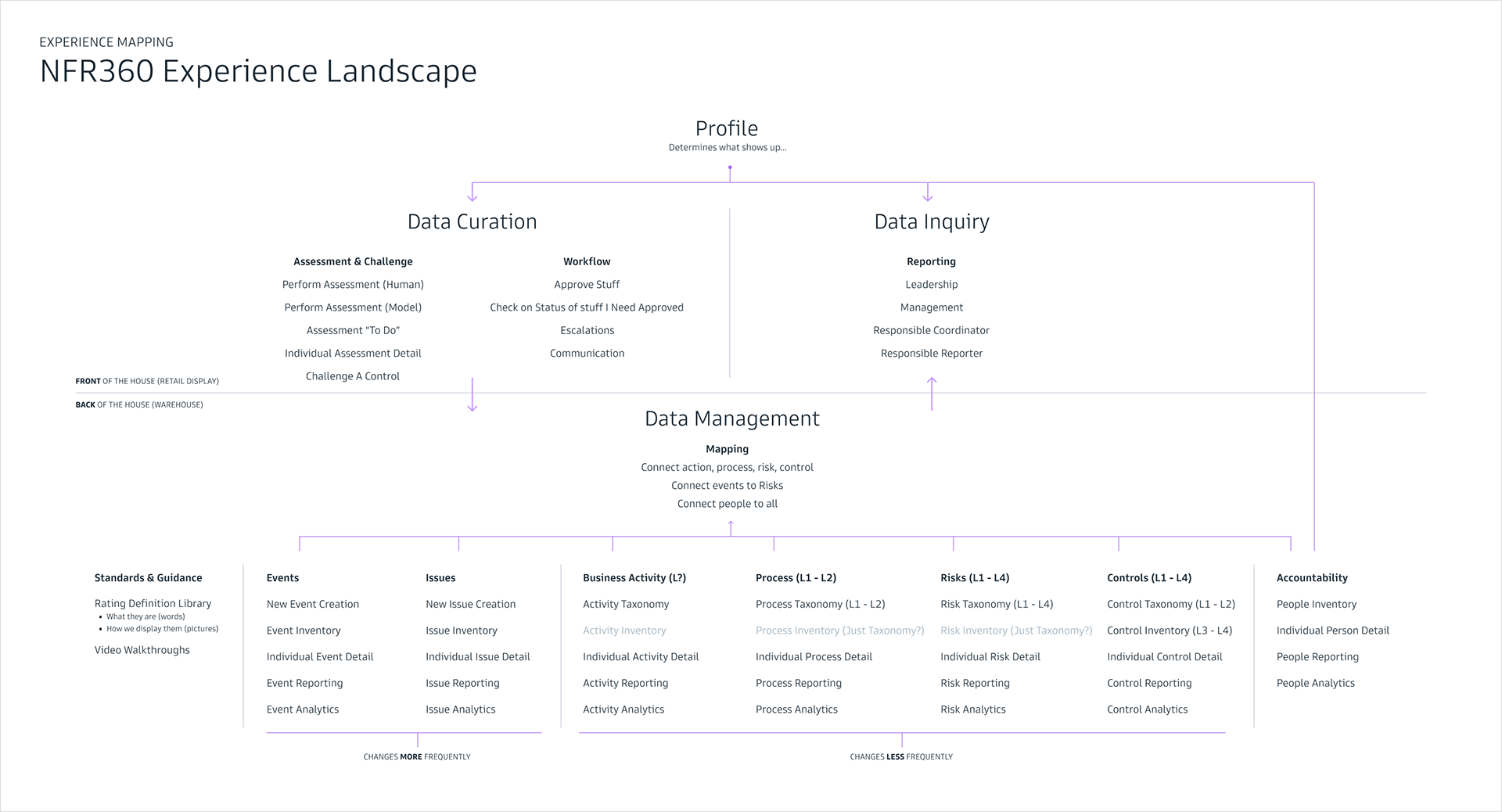
NFR360 Experience Landscape

• Profile decides what shows up, which is where role-specific views and My Tasks began.

• Front of house and back of house is roughly where the four applications divide.

• Entities ordered by how often they change: events and issues change often, taxonomies rarely.

RCSA process flow
The Risk and Control Self Assessment (RCSA) process flow in detail:
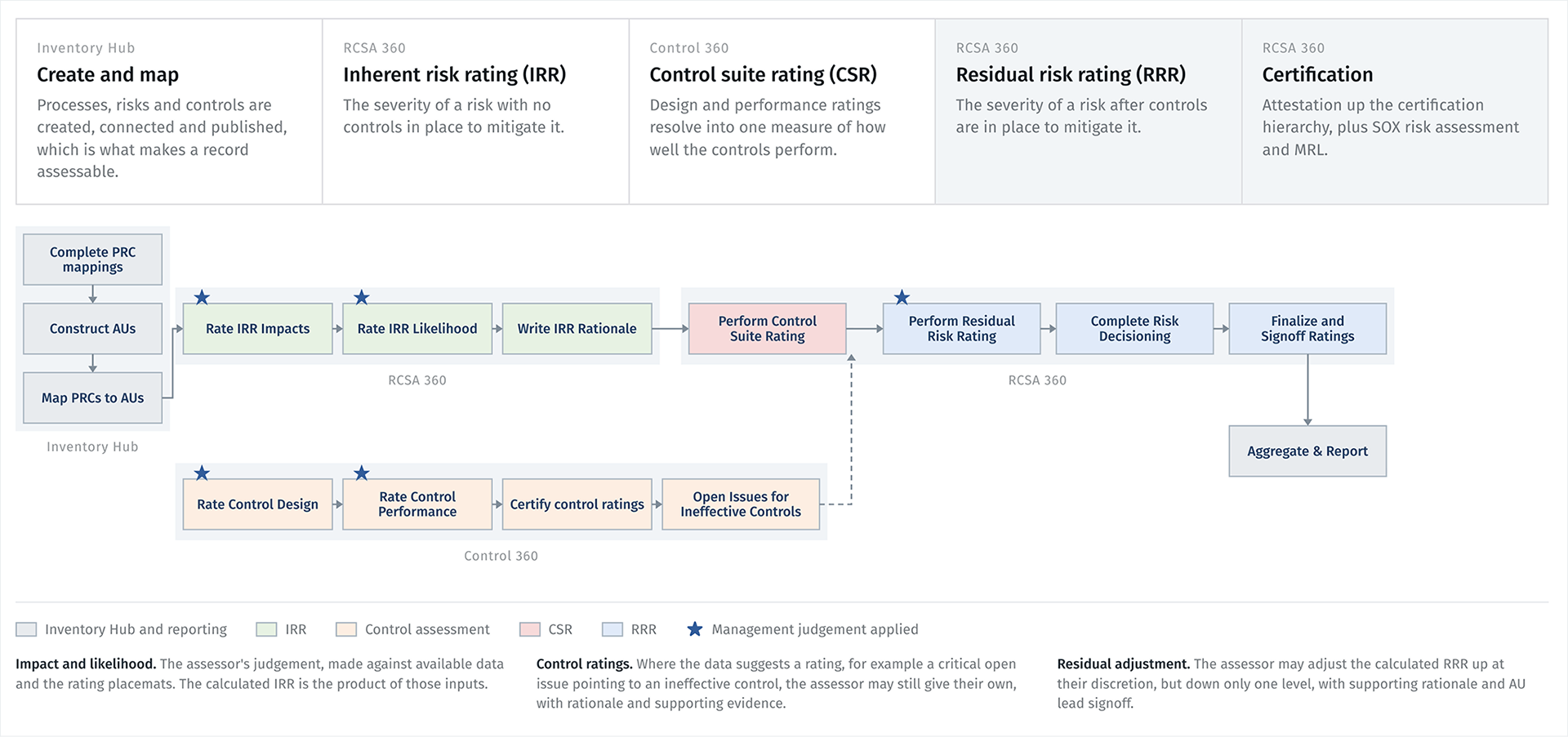
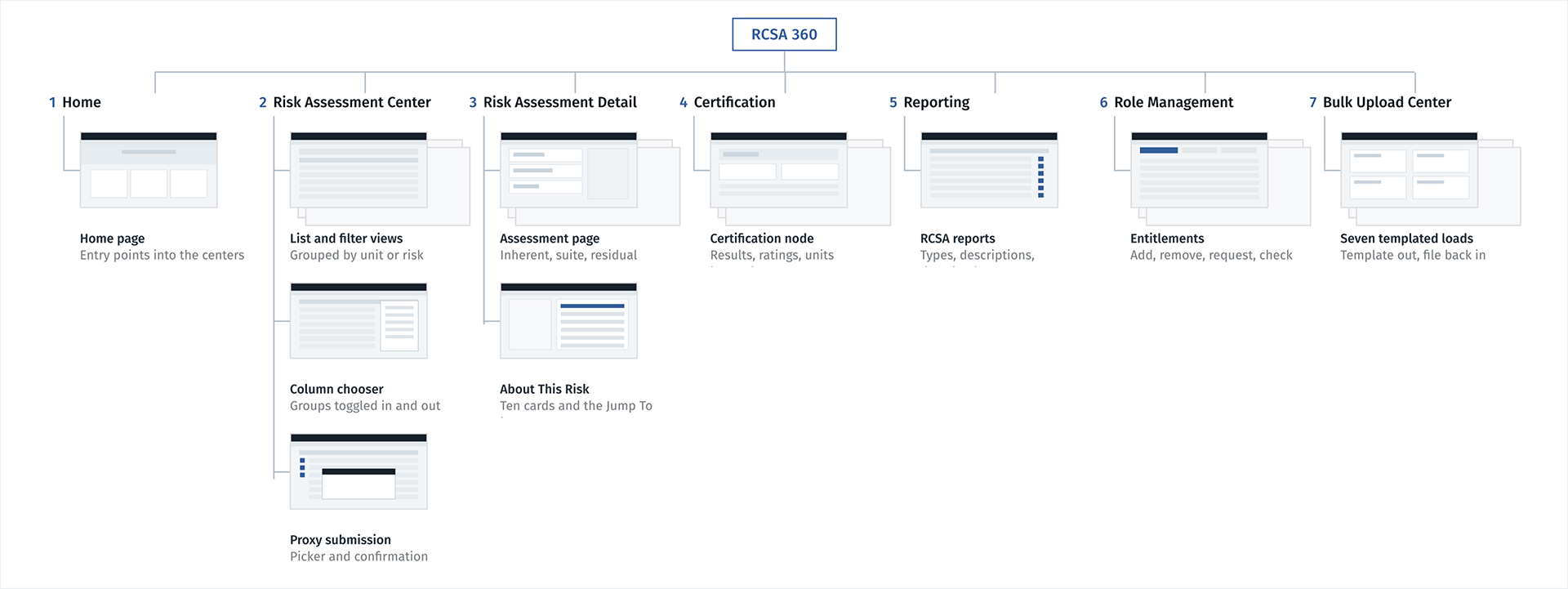
RCSA 360- Key Modules
Redesigning the assessment experience
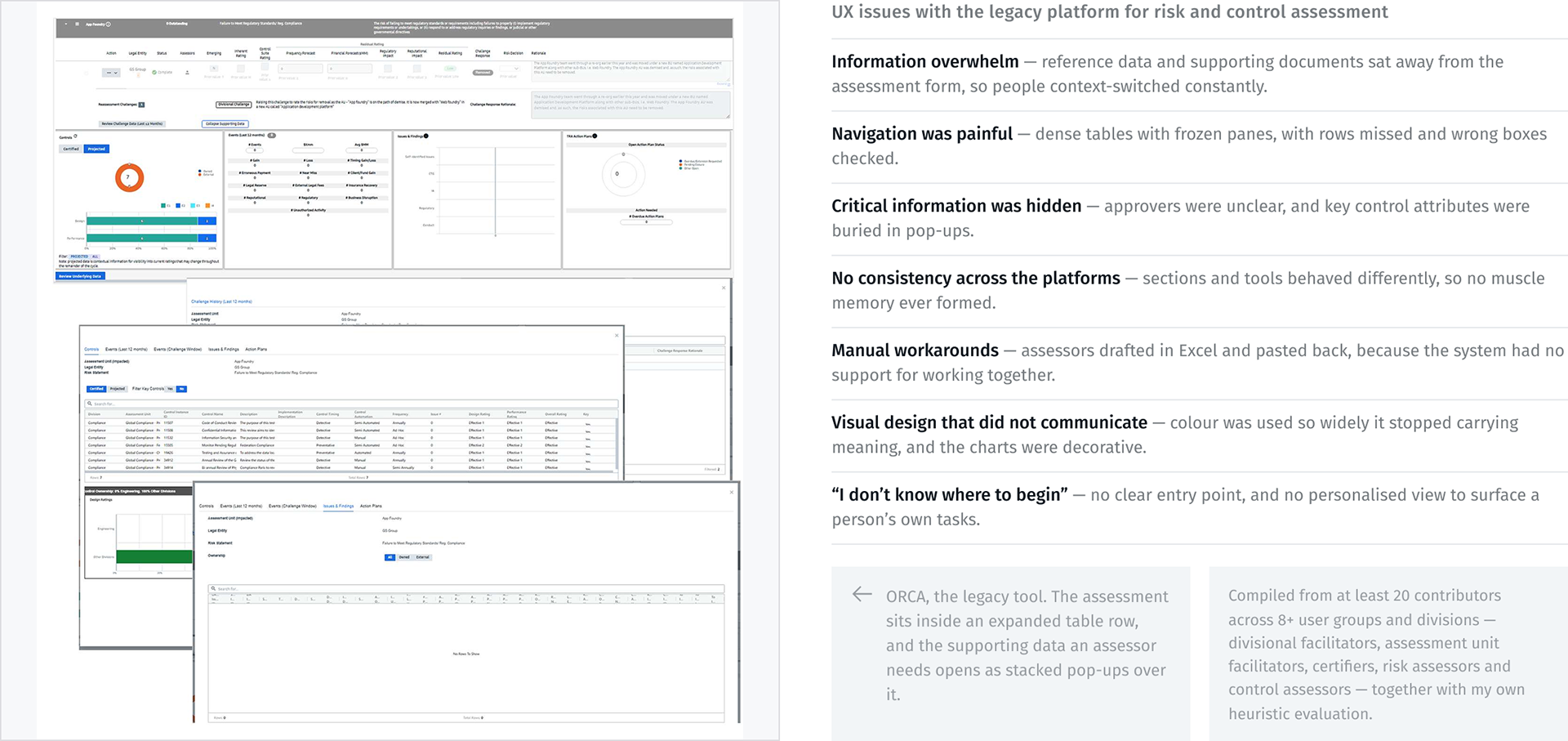
A read of the legacy tool first: where information was buried, where navigation cost people time, and where the screens said little about what to do next.
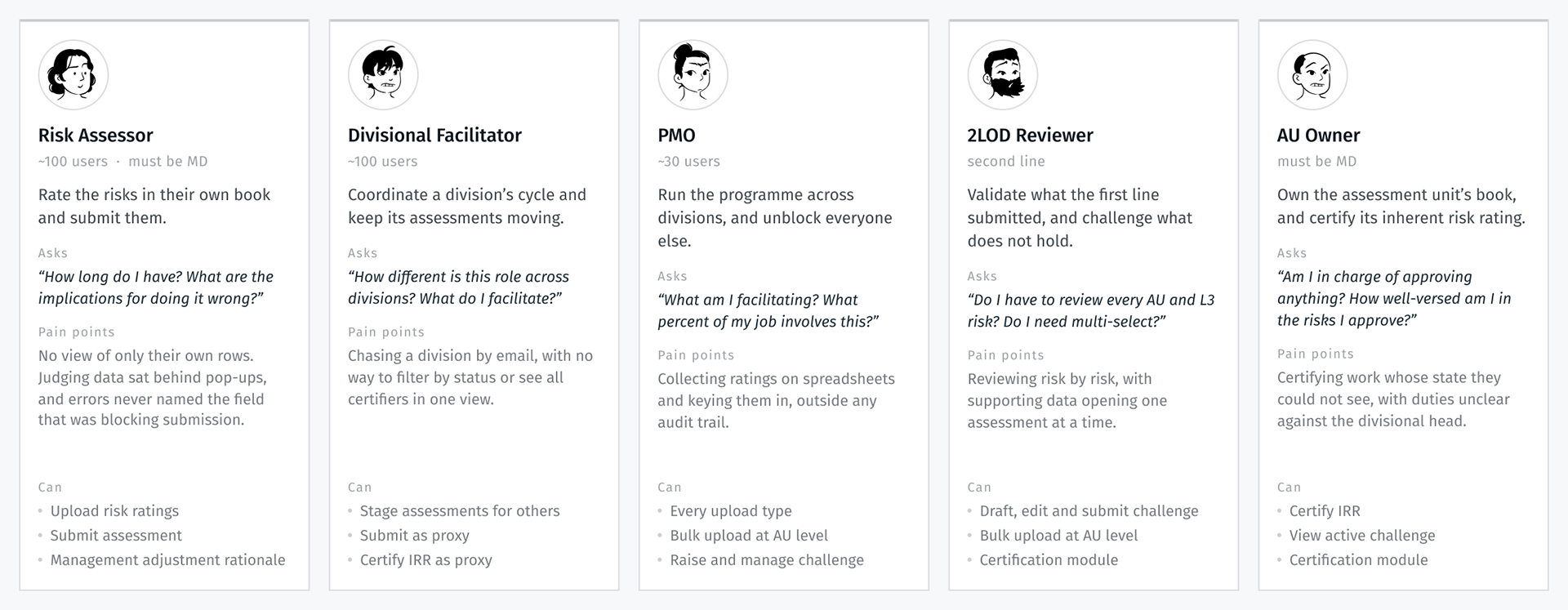
Personas
Key user personas for the RCSA 360 platform
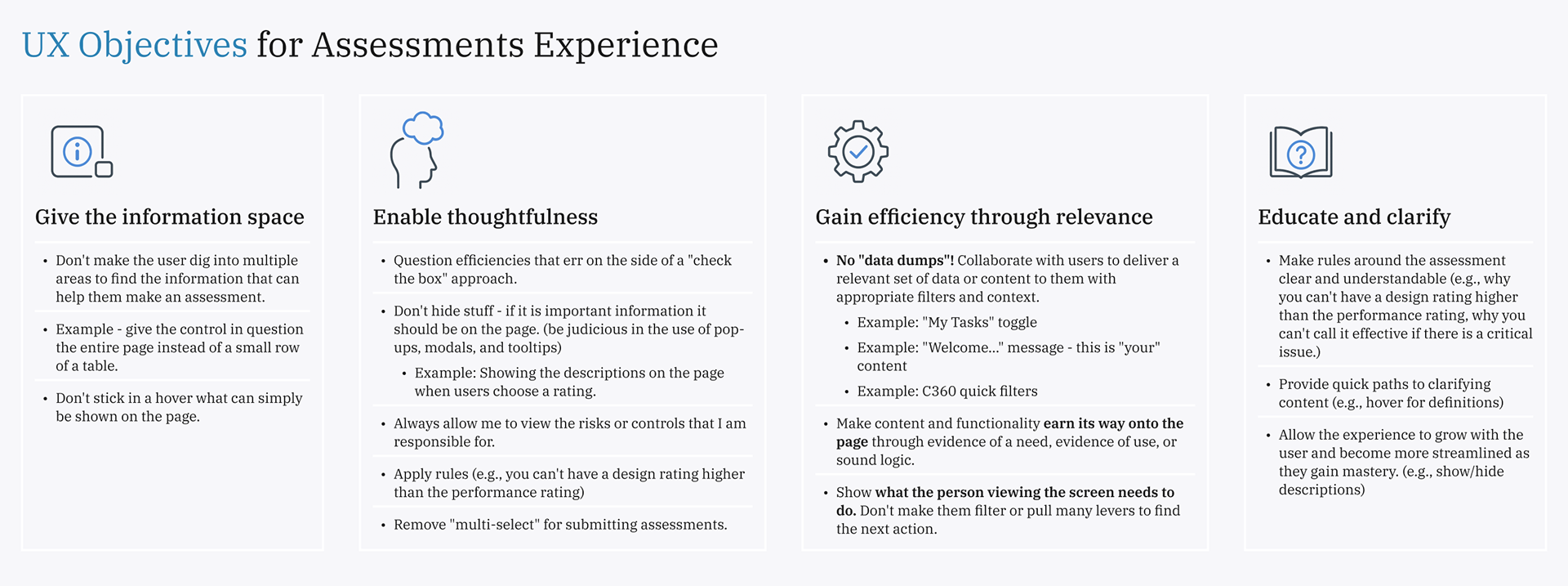
UX Objectives for Assessments Experience
• Key tenets that we have in our mind for every interaction
• We developed these based on 20+ interviews/sessions with users of the current experience and evaluation of the existing experiences.
•​​​​​​​ They manifest themselves throughout the experience
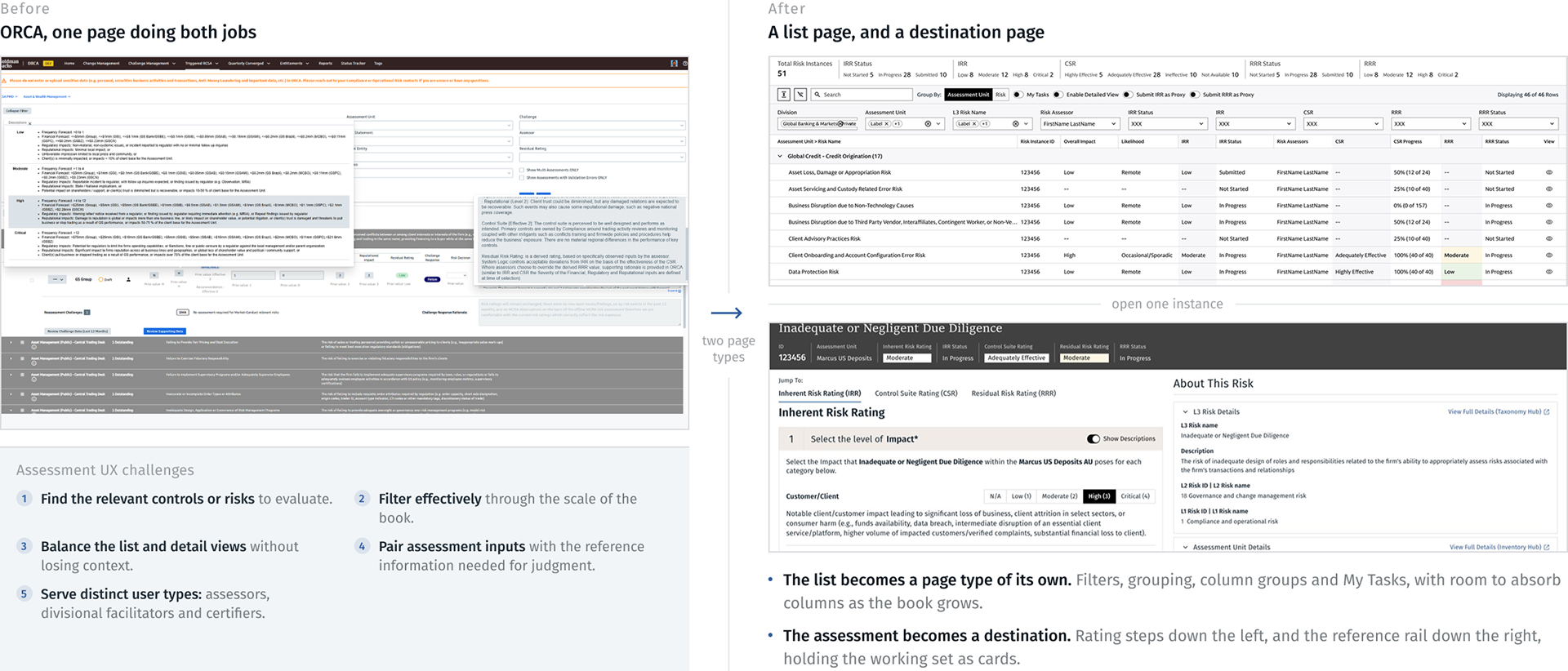
Splitting the list from the assessment
One key architectural decision was to split the consolidated list of assessments to be done from the individual view of those assessments.
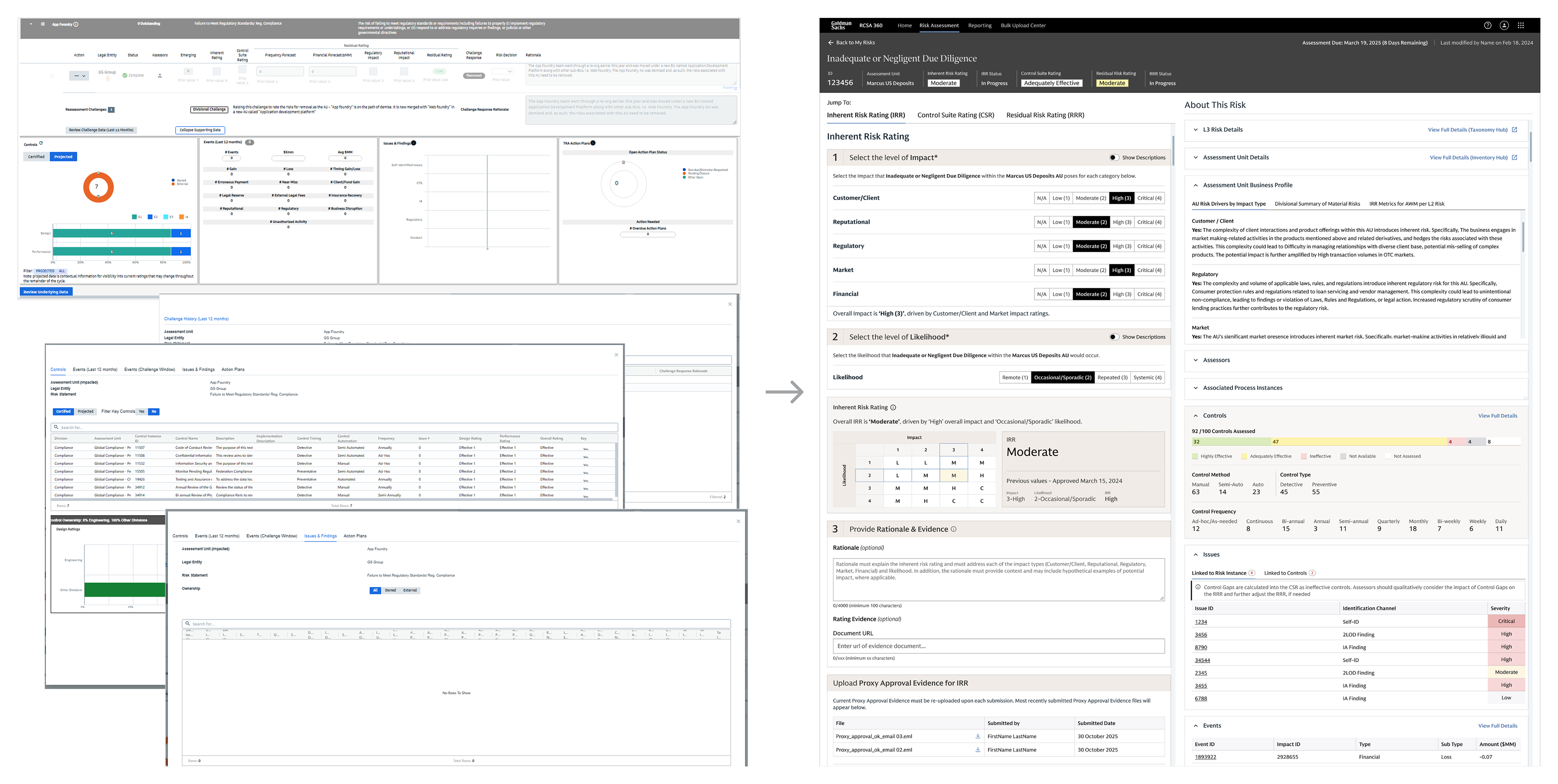
ORCA risk Instance to the RCSA 360 Risk Instance Comparison
• Updated methodology
• “1, 2, 3” in response to “What do I need to do?” feedback from users
• Consolidated mosaic of information instead of modal windows and tooltips
• Transparency of the placemat logic
• Revised rating scale design
• Show/hide descriptions
• tabs to easily move between IRR, CSR and RRR
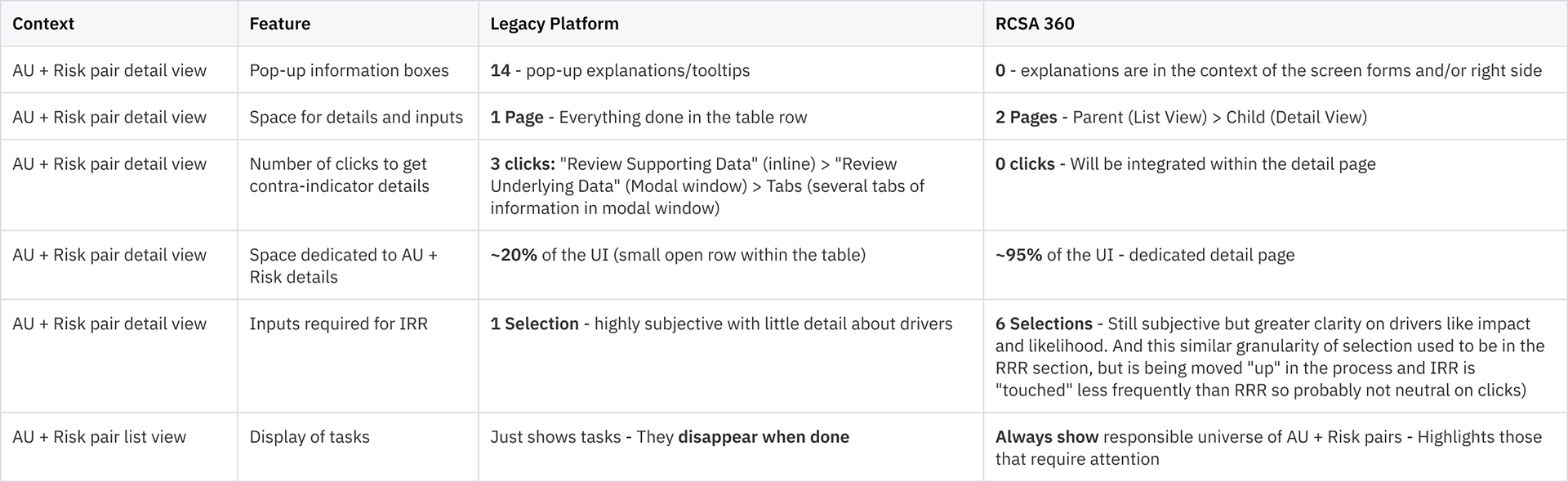
Legacy to new tool comparison
Comparison between the firm’s previous risk and control assessment tool (ORCA) to RCSA 360.
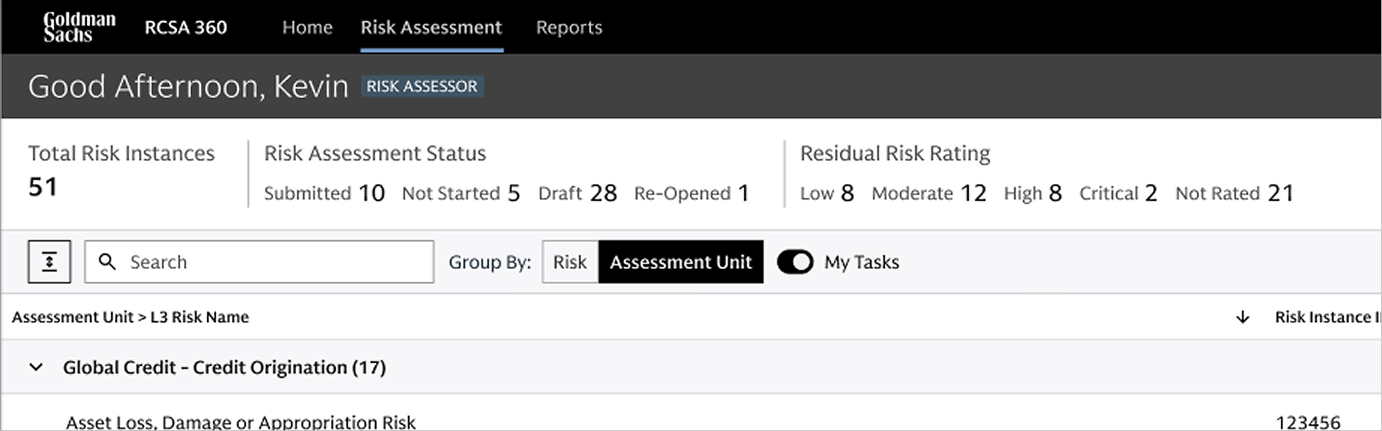
‘My Tasks’ Toggle
• Answers the “where do I begin?” or “What do I need to do?” feedback, which was a common theme emerging from user interviews.
• Narrows the list of instances to only those that require the logged-in user’s attention.
• Provides a single button with flexible back-end rule sets (preferring simplicity over complex filters or interactions). Filters are available as well.
•​​​​​​​ Has the potential for saving and defaulting to more personalized attributes in the future (such as saved searches, etc.)

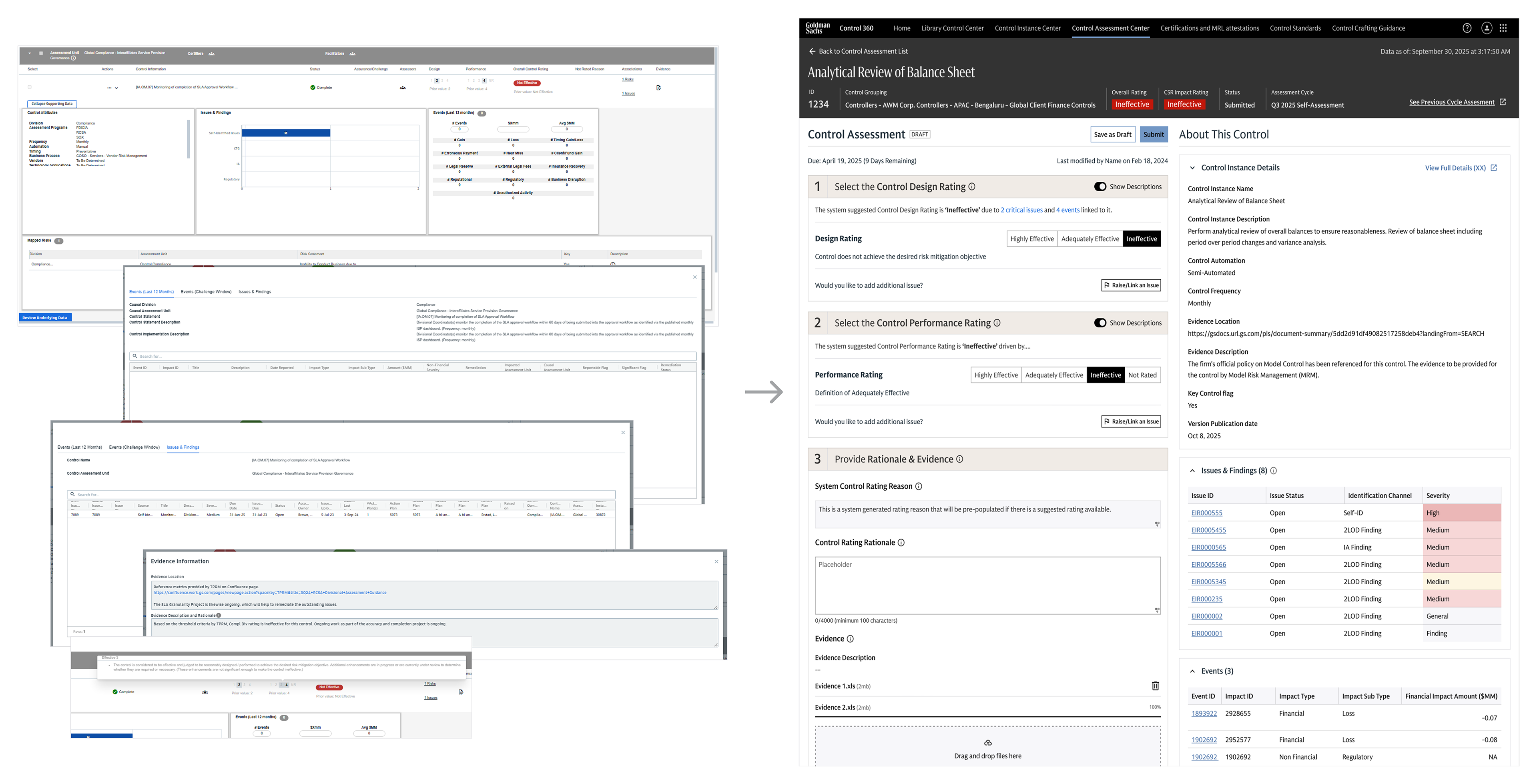
ORCA control Instance to the RCSA 360 control Instance Comparison
• Updated methodology
• “1, 2, 3” in response to “What do I need to do?” feedback from users
• Consolidated mosaic of information instead of modal windows and tooltips
• Transparency of the placemat logic
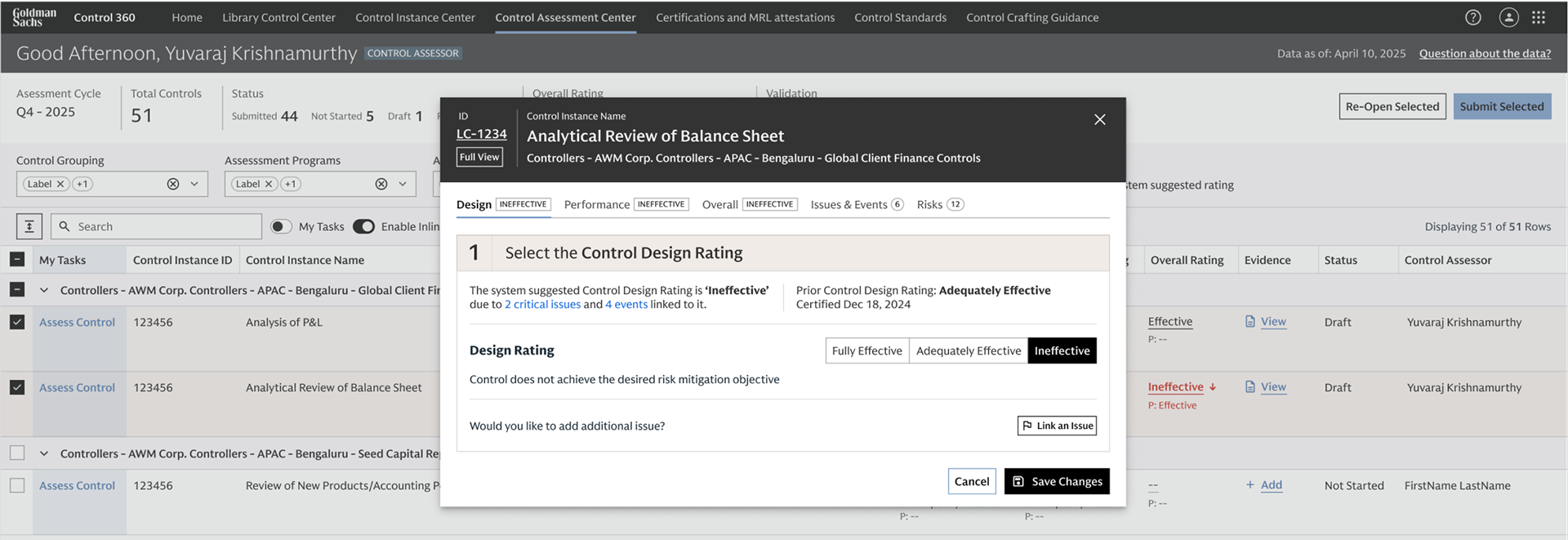
Control Assessment-Pocket Instances
• Termed the "pocket instance" since it is merely a subset of necessary functions already built for the full detailed view of the instance.
• Addresses user desire to submit ratings within the context of the dashboard.
• Allows users to interact with individual cells related to ratings.
• Sets context in the header – based on feedback that modals to the effect of "they lack the context of what I am looking at".
• What's Included: The most salient and critical modules that appear in the full detail view of the instance.
•​​​​​​​ Has a link in the header to the detailed view if more information ends up being necessary

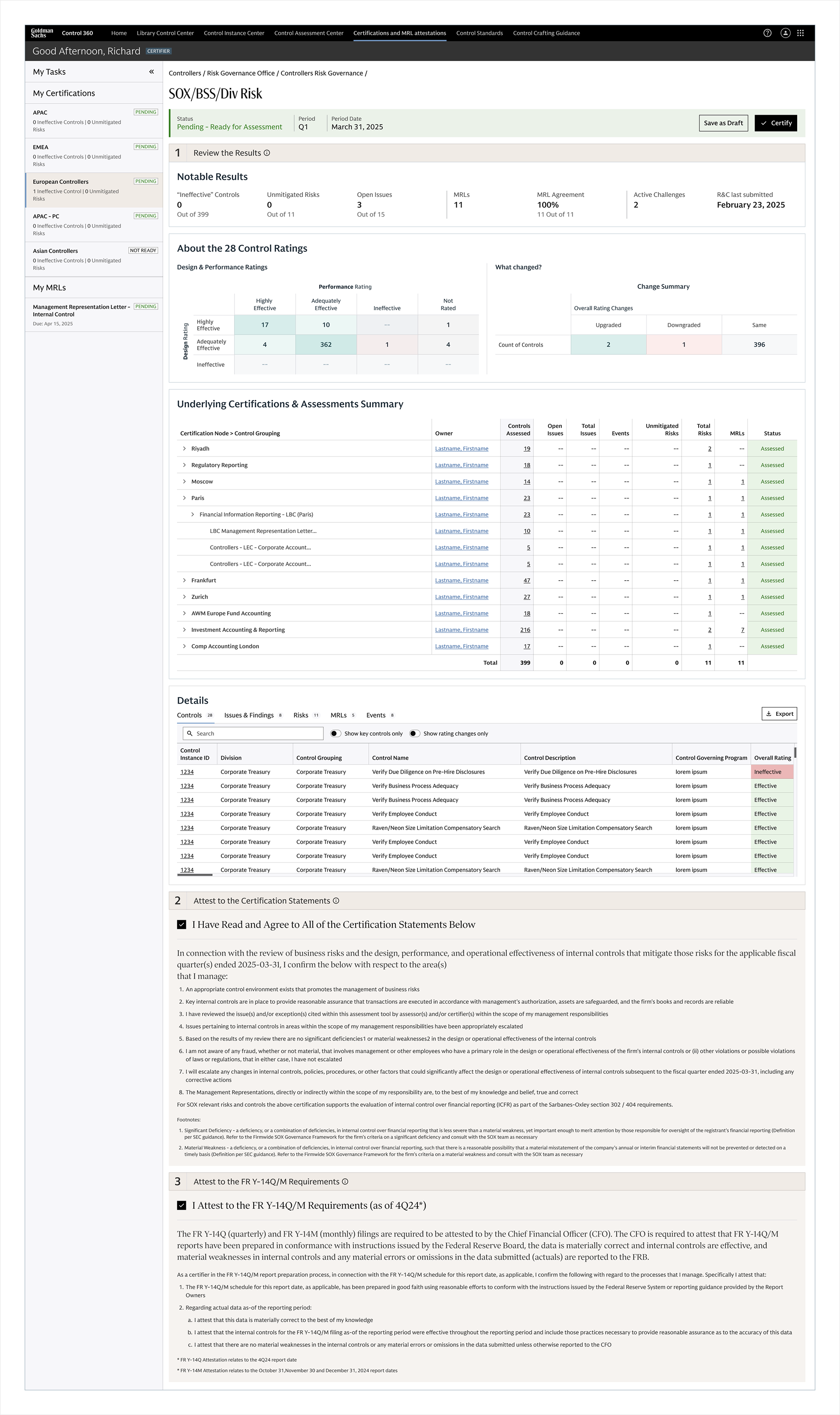
Control Grouping Certification screen
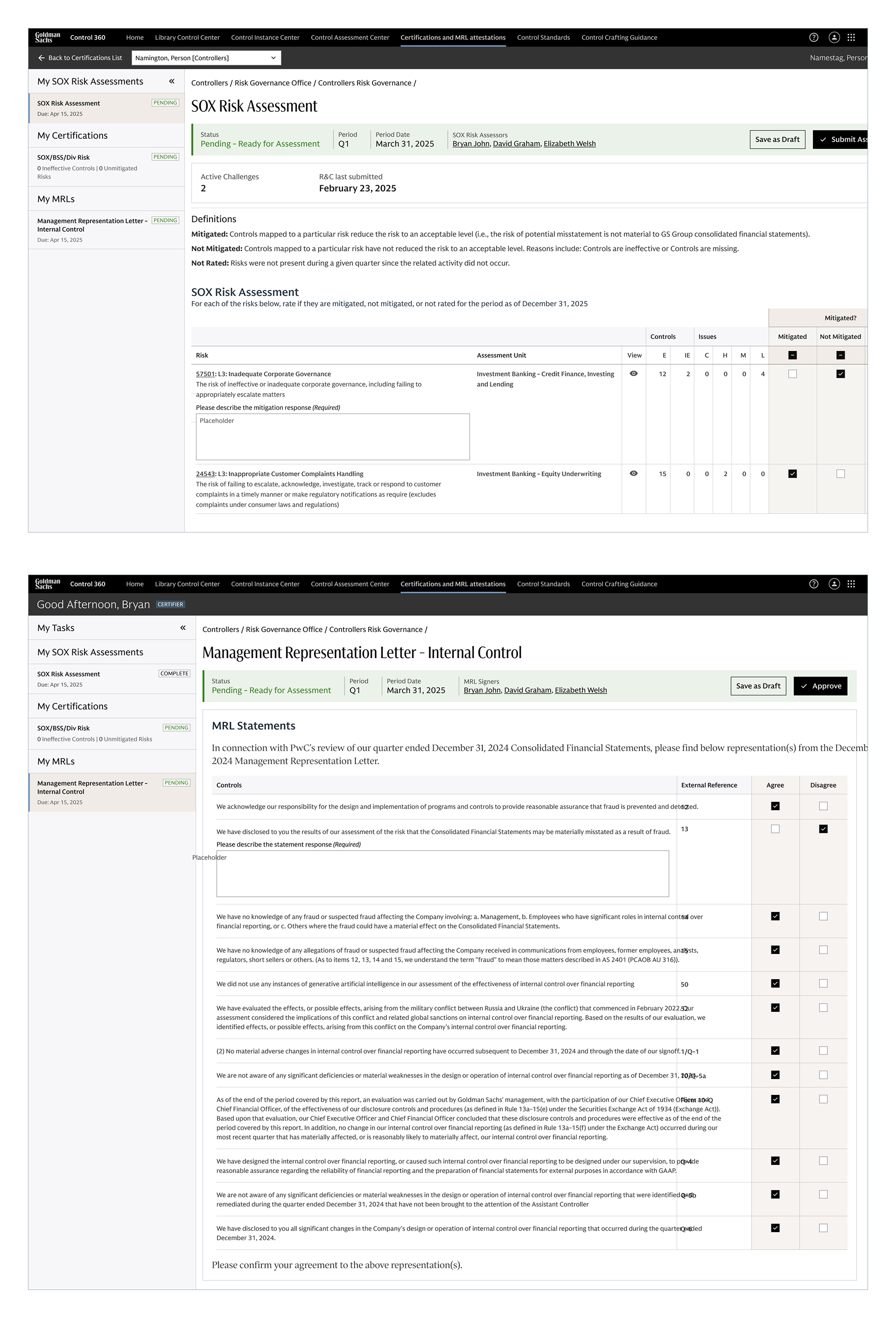
SOX Risk assessment and Management Representation Letter (MRL) screens.

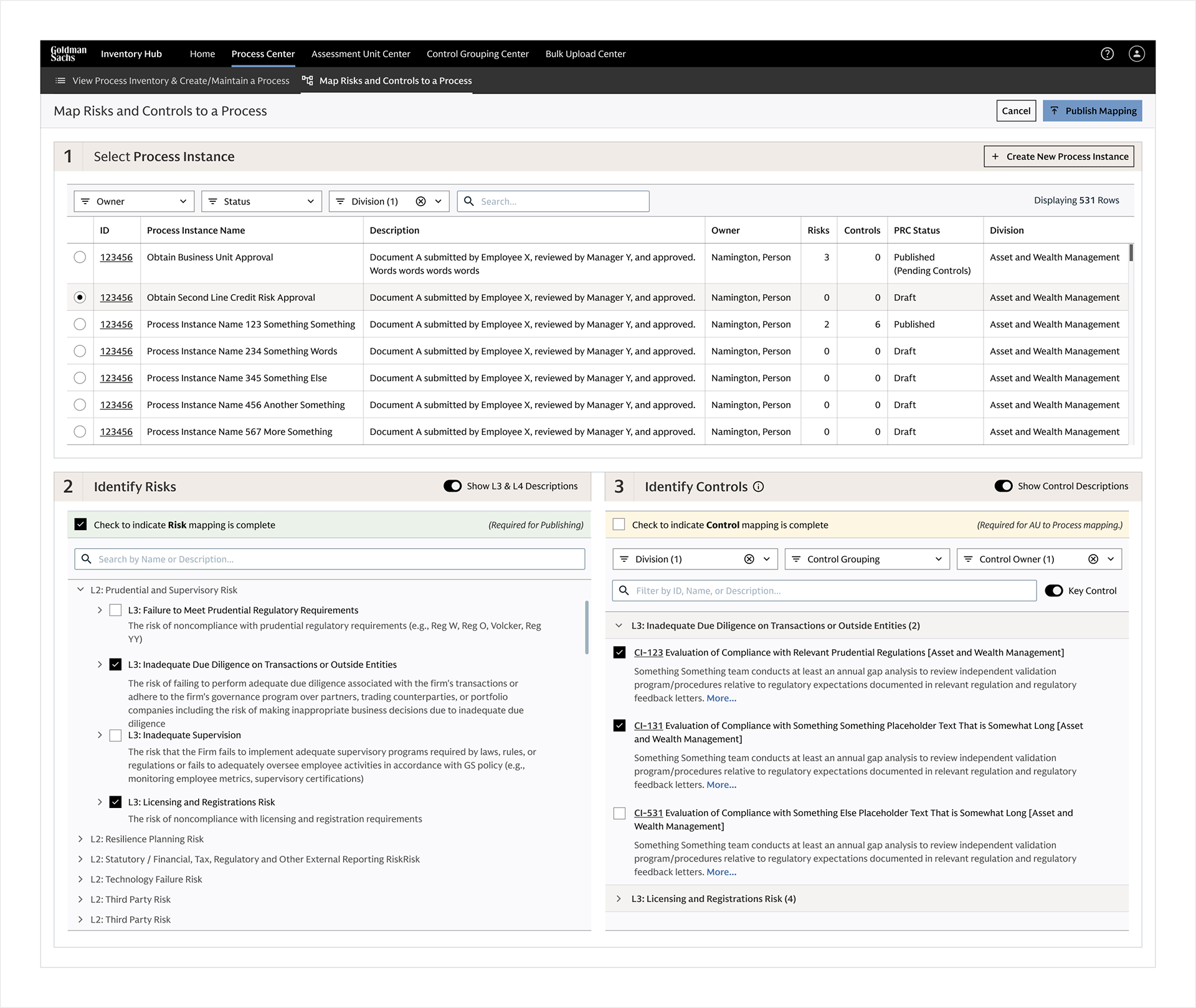
Process-Risk-Control Mapping screen
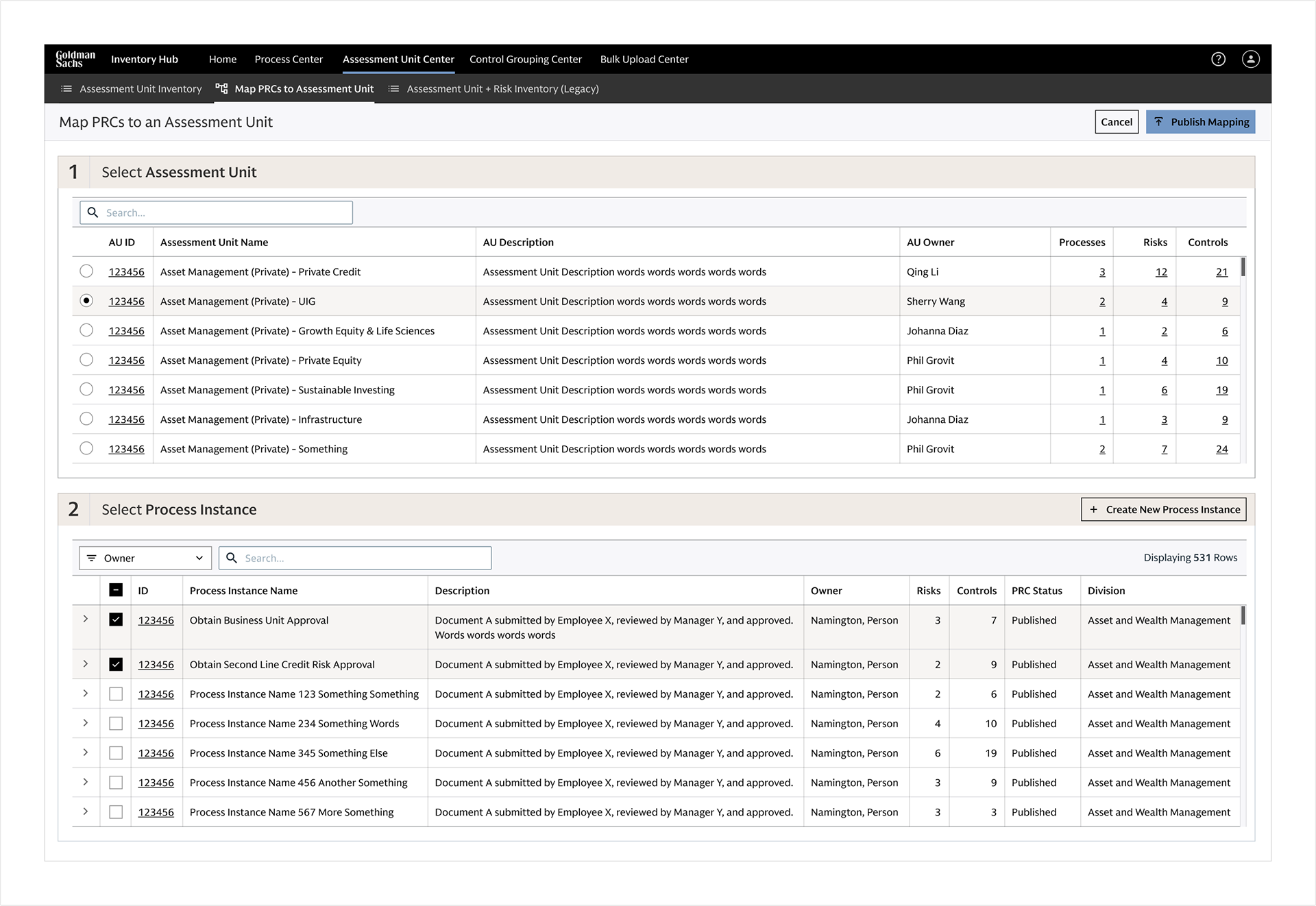
Assessment Unit to Process Instance mapping screen

Outcome and impact 
The inter-connected suite of applications including RCSA 360, Control 360 and Inventory Hub are live and carries the firm's non-financial risk management.
Shipped and in use
• Live across 18+ divisions and 600+ users, covering roughly 18,500 controls and 6,500 risk instances.
• Met the SOX-mandated certification deadline in the first cycle on the new platform.
• Lattice, the shared design system, moved five NFR applications onto one foundation of page types and patterns.

You may also like

↑Back to Top